 damien@damienkee.com
My Blocks-> The Basics – BrickJournal Issue 36 – Damien Kee
 Feb 28, 2019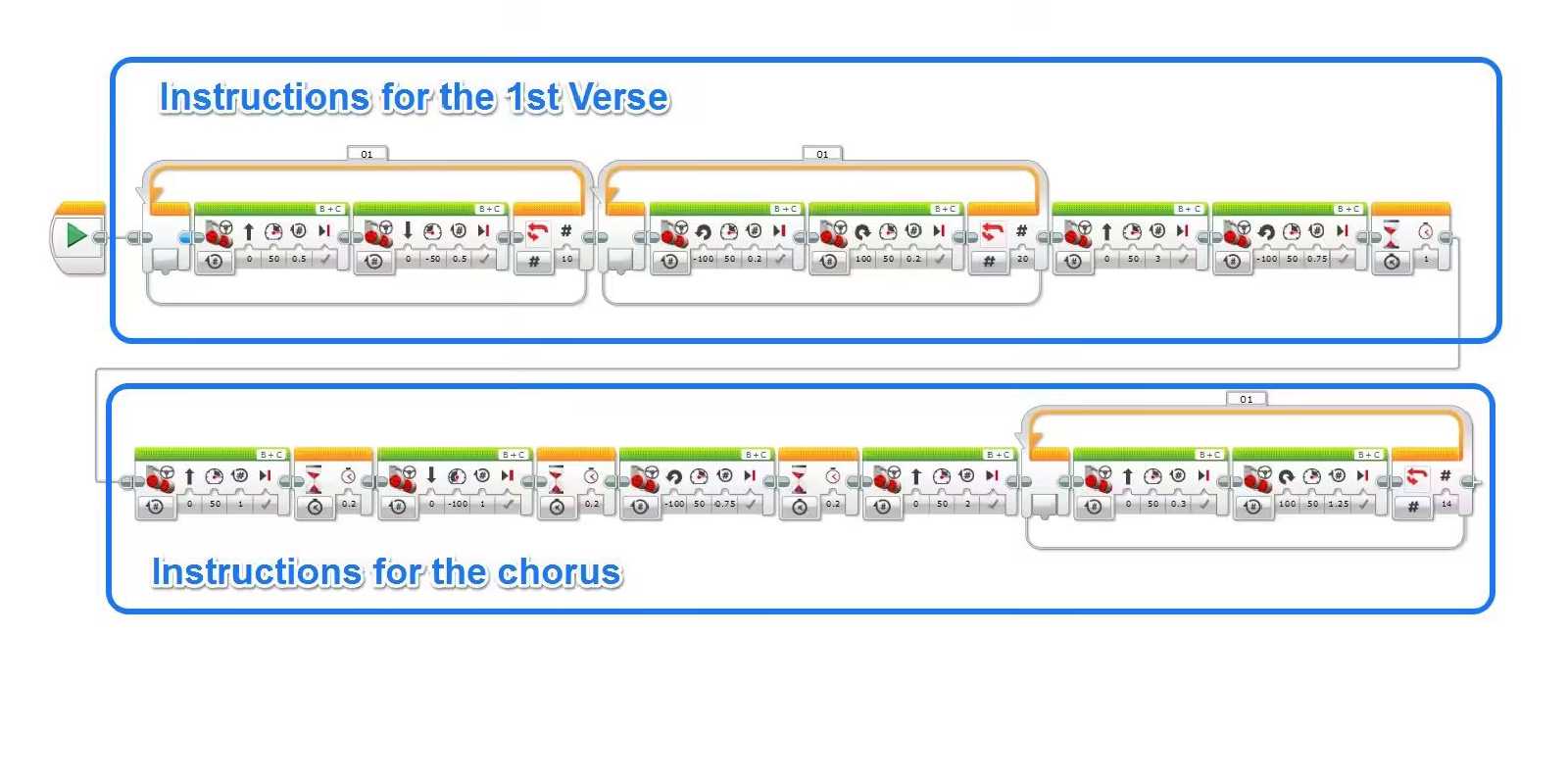
This article first appeared in
My Blocks – The basics
What are they?
My Blocks are a way to represent lots of instructions with just a single block. What that means is that you may have a very long program, and just by the nature of such a large program it might be difficult to see at a glance what is happening within the code. My Blocks allow you to ‘chunk’ out the program into meaningful chunks that makes it easier to both program and more importantly debug. So what would that look like in a real program.
How do we use them?
Let’s take an example of a dancing robot from a competition like RoboCupJunior. In this competition, robots need to do a performance for a set amount of time. A large number of teams break a song down into verse / chorus sections and then program the robot to do different actions in each section.
Here is an example of Robot dance program as it might look the first time you work on it.
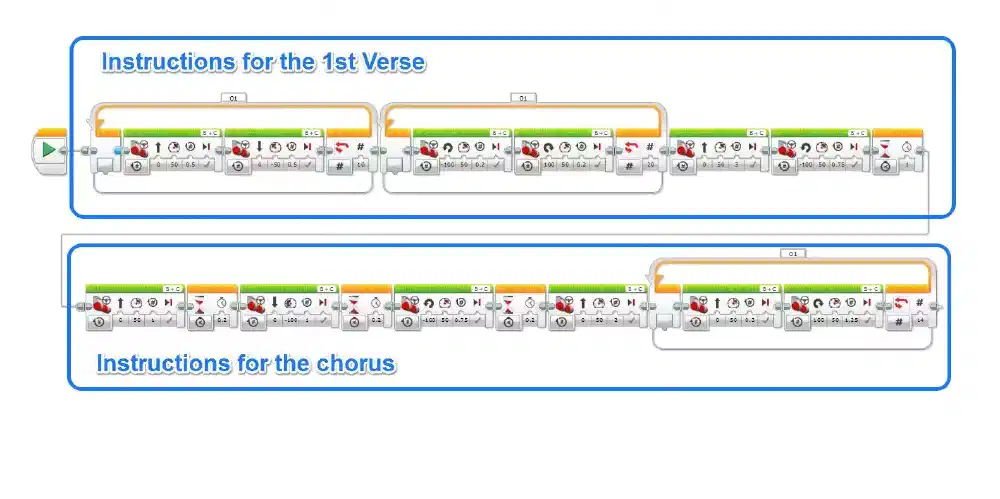
That is starting to get quite large as there are lots of movements within the program. What would be nice is if we could take all the parts relating to the robot dancing to the first verse of the song and create a single block to represent this.
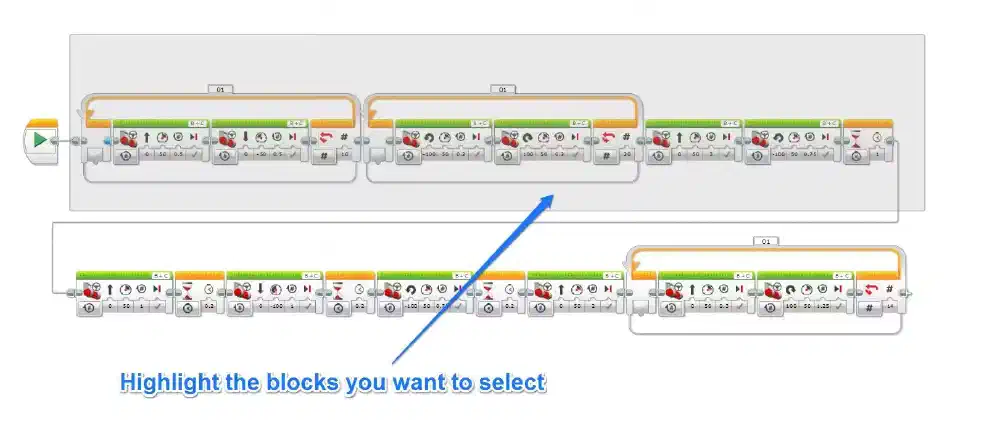
Highlight the blocks you want to include in the new custom Block.
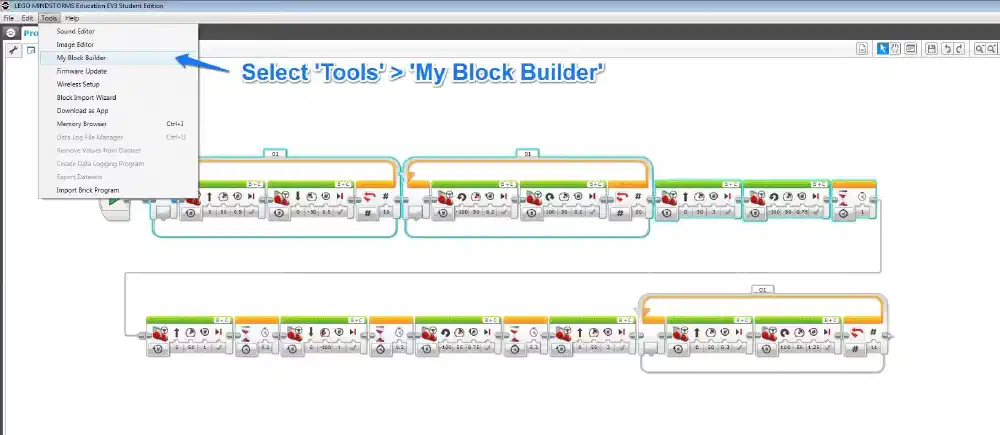
Go to the Tools menu and select ‘My Block Builder’
Give your new block a name
Give your block an icon (if you want)
Click on the ‘finish’ button
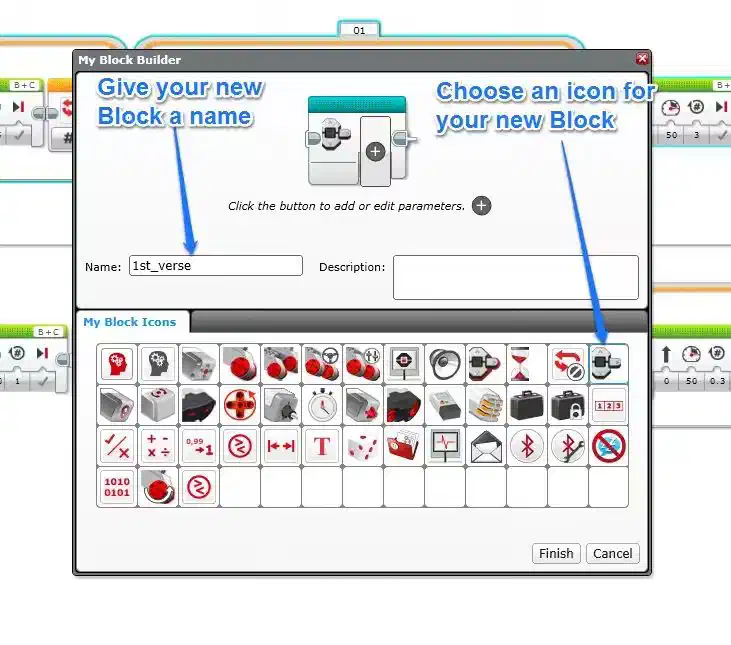
You’ll now see all those blocks have disappeared and have been replaced by a single My Block that you have just created. If you want to edit anything inside this My Block, double click on the block and it will open up a separate Program within your Project with just the blocks associated with the My Block.
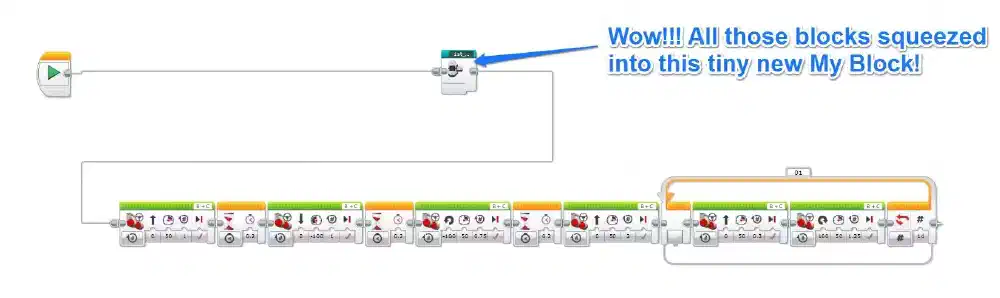
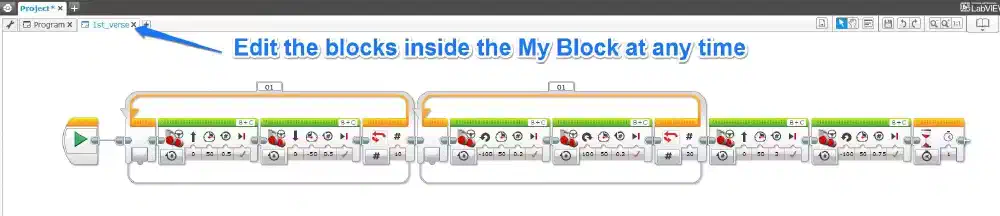
If you do the same thing with the other ‘chunks’ you can make your main program far more manageable and easier to read / debug
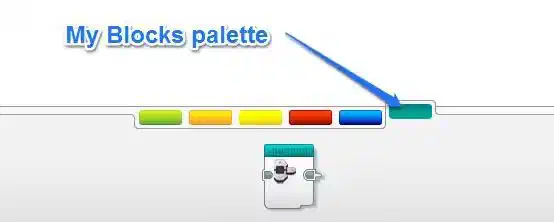
If you ever need to use those blocks in other parts of the program, you can find them in the ‘Custom’ palette of Blocks along the bottom of the screen.
What next?
The My Block Builder is an excellent way of condensing your program to make it easier to read, manage and ultimately find and fix problems.
Do you have an amazing line following algorithm as part of a larger Rescue robot? Turn that part into a My Block!
Have you solved a mission in FLL? Turn it into a My Block!
Have you solved multiple missions in FLL? Turn each into a My Block and string together many different My Blocks when you get to the competition!
Do you have a crazy program that you are having trouble remembering which parts control which? Break it into chunks of actions, and turn each action into a separate My Block! Problem solved 🙂